New Features
Each new version introduces new features, tools, and user interface improvements that can help you deliver a better online learning experience to your users. Some of our favorite features include:
Open edX Analytics - Aspects
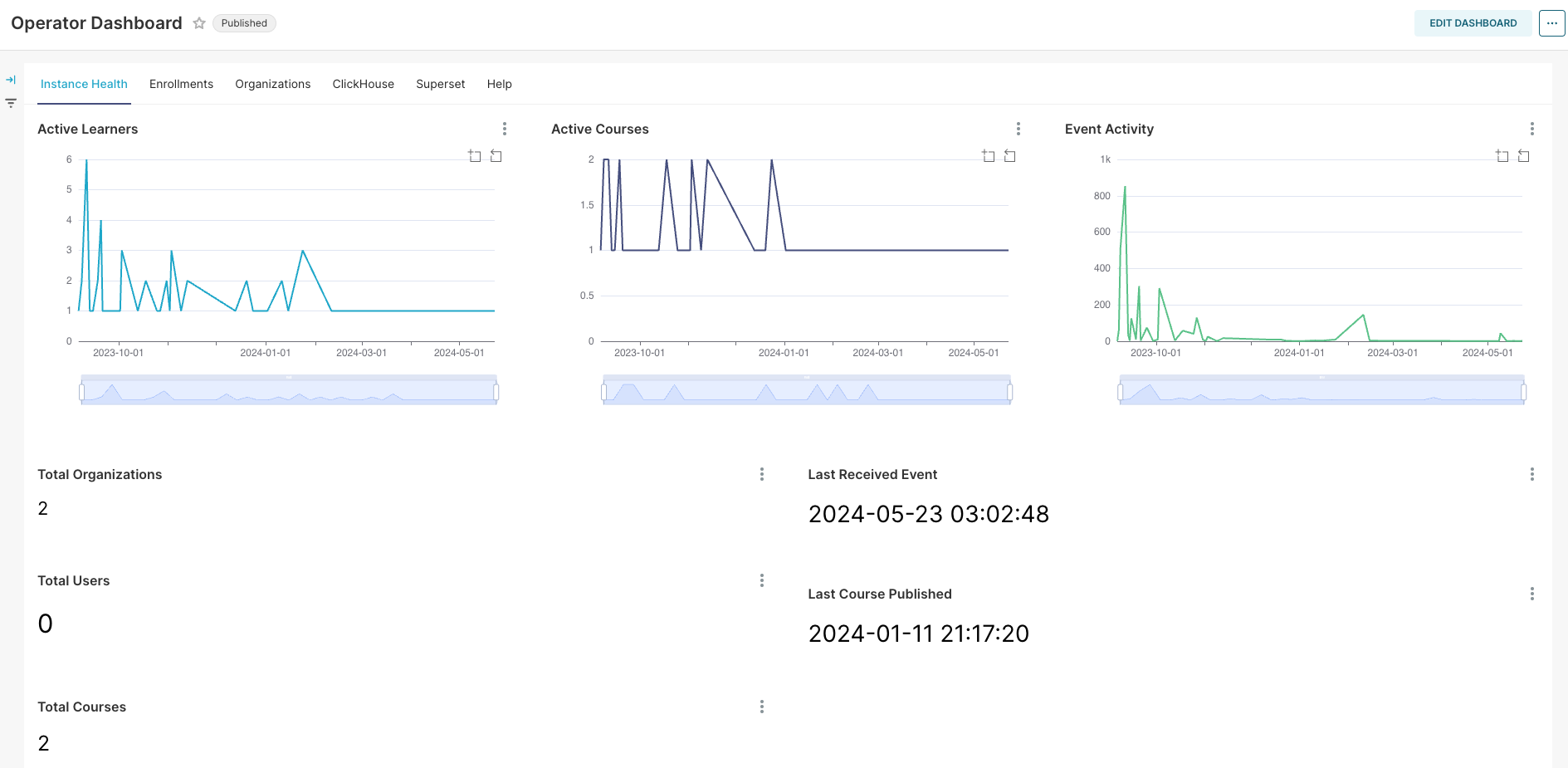
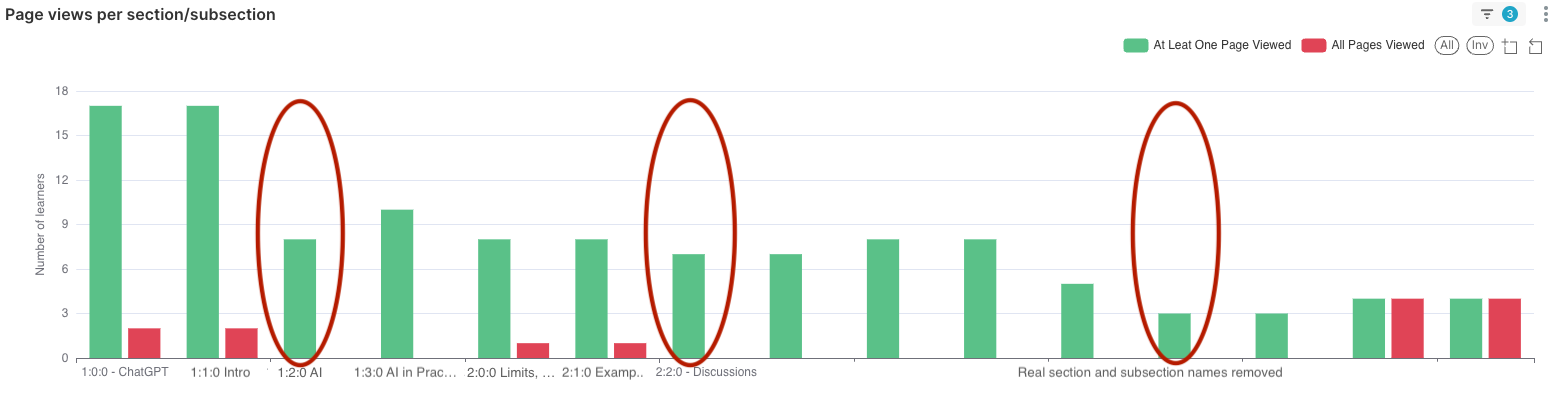
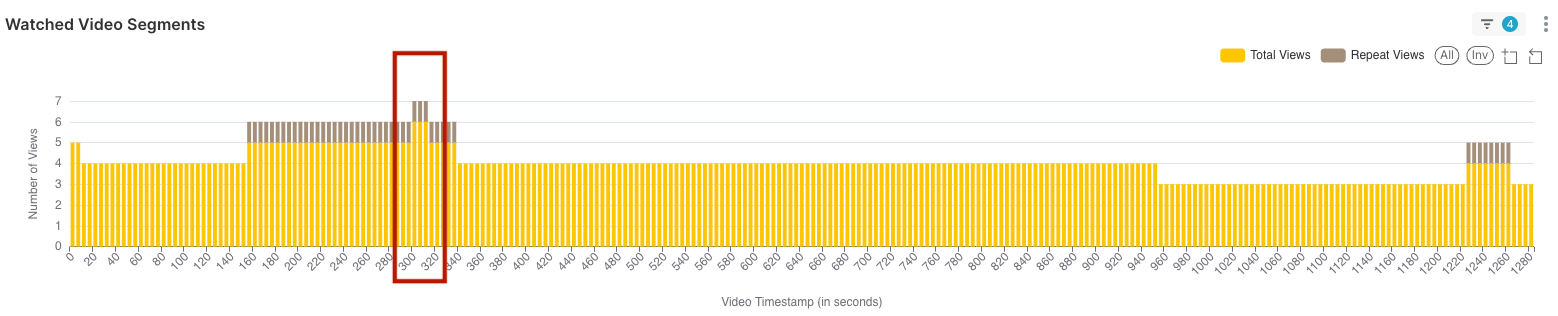
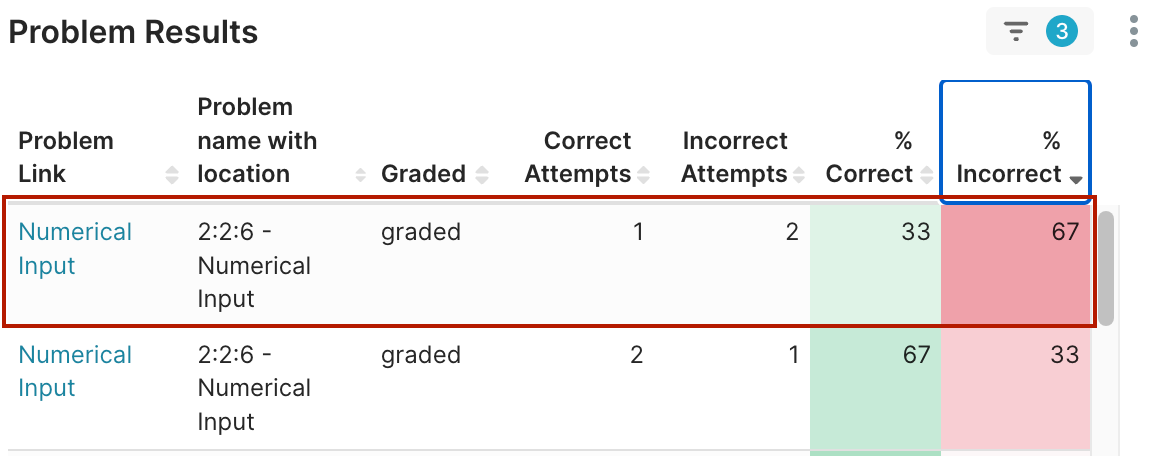
Finally, Open edX has provided an official, integrated solution for analytics, replacing the need for custom-built systems. This upgrade will streamline your data analysis process, offering precise insights to improve course delivery and learner engagement. Aspects Reports bring enhanced visualization capabilities, real-time updates, and a user-friendly interface, making it an essential upgrade for maximizing the effectiveness of your Open edX instance. With this comprehensive analytics solution, you can make data-driven decisions to enhance educational outcomes and operational efficiency.


Technical Information:
Open edX has introduced Aspects Reports in the Redwood release, a comprehensive analytics system replacing the previously used Insights. This system offers real-time data on course and instance performance through interactive dashboards and charts. Key features include:
- Course-Level Dashboards: Enrollment, engagement, and performance metrics.
- At-Risk and Individual Learner Dashboards: Identifies learners at risk of not completing the course.
- Superset Integration: Advanced data visualization and cross-course analysis using a third-party tool.
Studio gets a facelift
The Studio authoring environment has been redesigned and enhanced, with a number of new features that significantly improve authoring efficiency. The redesign revolves around a sleeker, modernized UI. Every page in Studio has been converted to the Paragon design system. This platform-wide system ensures cohesion and consistency across every authoring workflow.
Duplicate Sections, Subsections, and Units
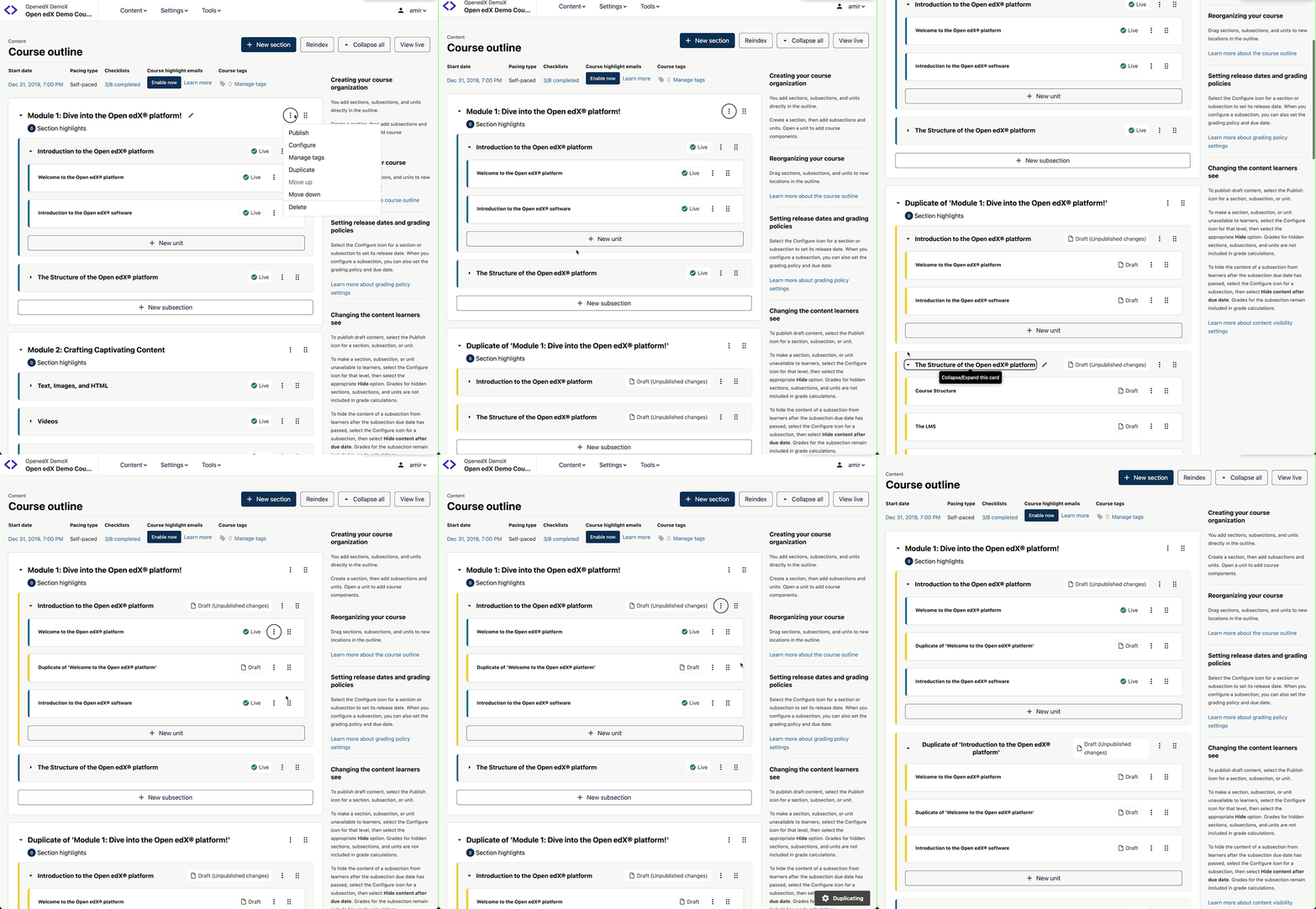
This new duplication feature in Open edX is a game-changer for course authors. It significantly enhances efficiency by reducing the time and effort required to create similar course content. Previously, creating repetitive sections or units involved manually copying and configuring each piece of content, which was time-consuming and prone to errors.
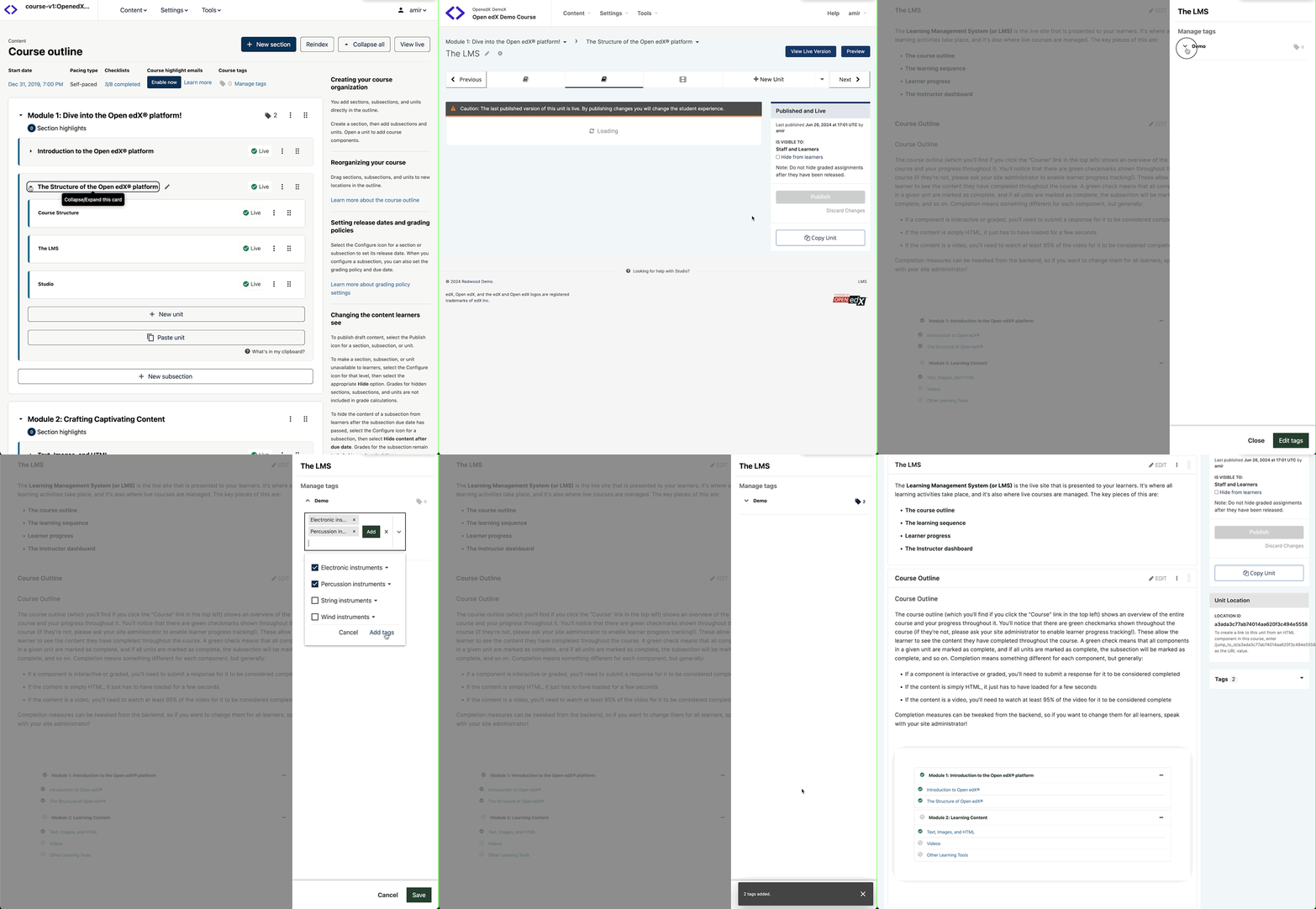
Content Tagging
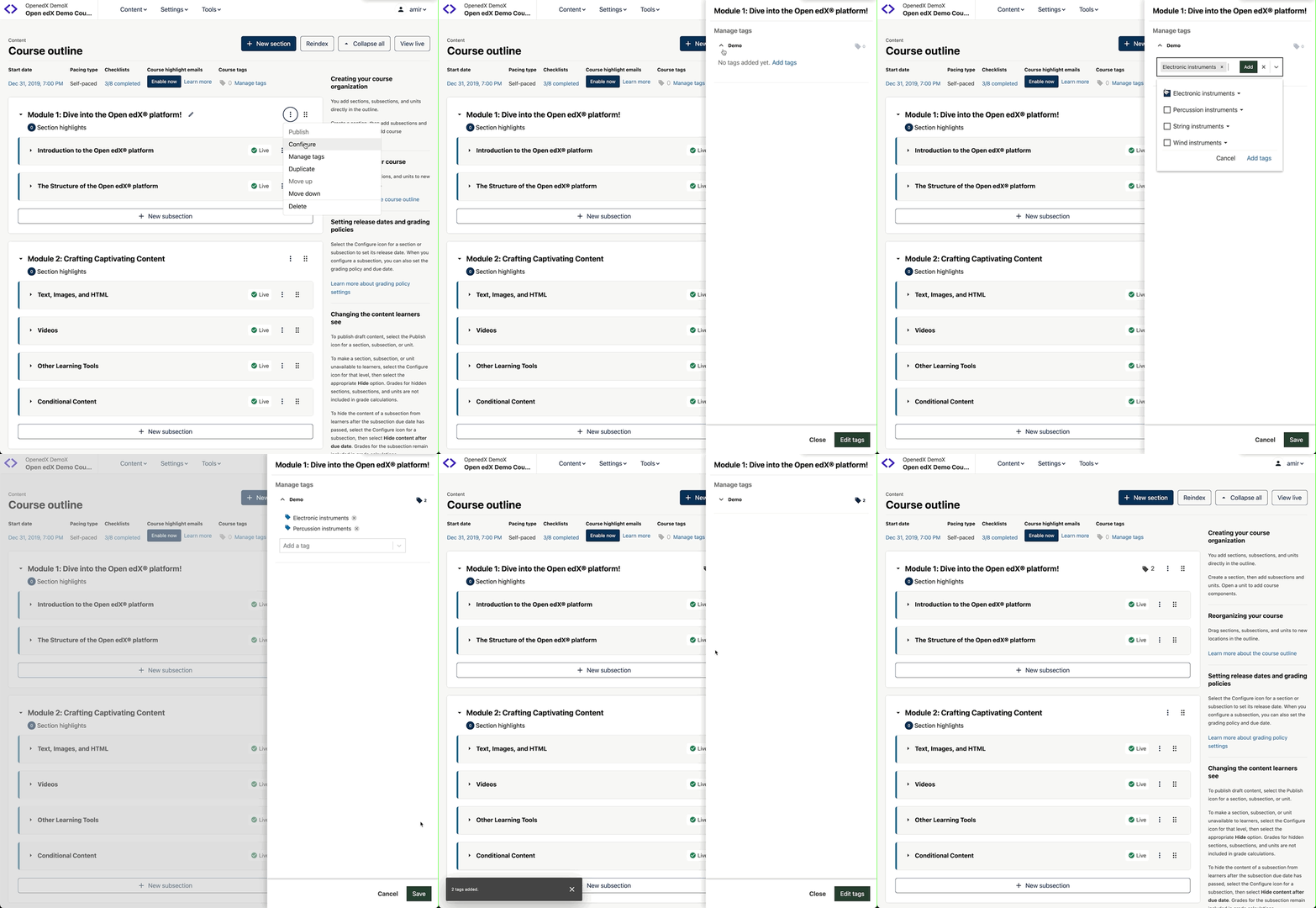
With the new Content Tagging feature, course authors and instructional designers are able to add tags to their course content. Instructional designers can align courses, or content within courses, to skills or competencies required for achieving certifications. Content tagging also improves content authoring and content reuse workflows by making it easier to find content and reuse it.
Highlights include:
A tagging tool that lets authors add tags to full courses, as well as to content within courses, including individual text, video and problem blocks, units, subsections and sections Support for any third-party taxonomy, empowering course teams to choose their preferred taxonomy or to create their own The new Content Tagging feature is available by default. If your system is not yet running the Course Authoring MFE, talk to your operations team to enable it.
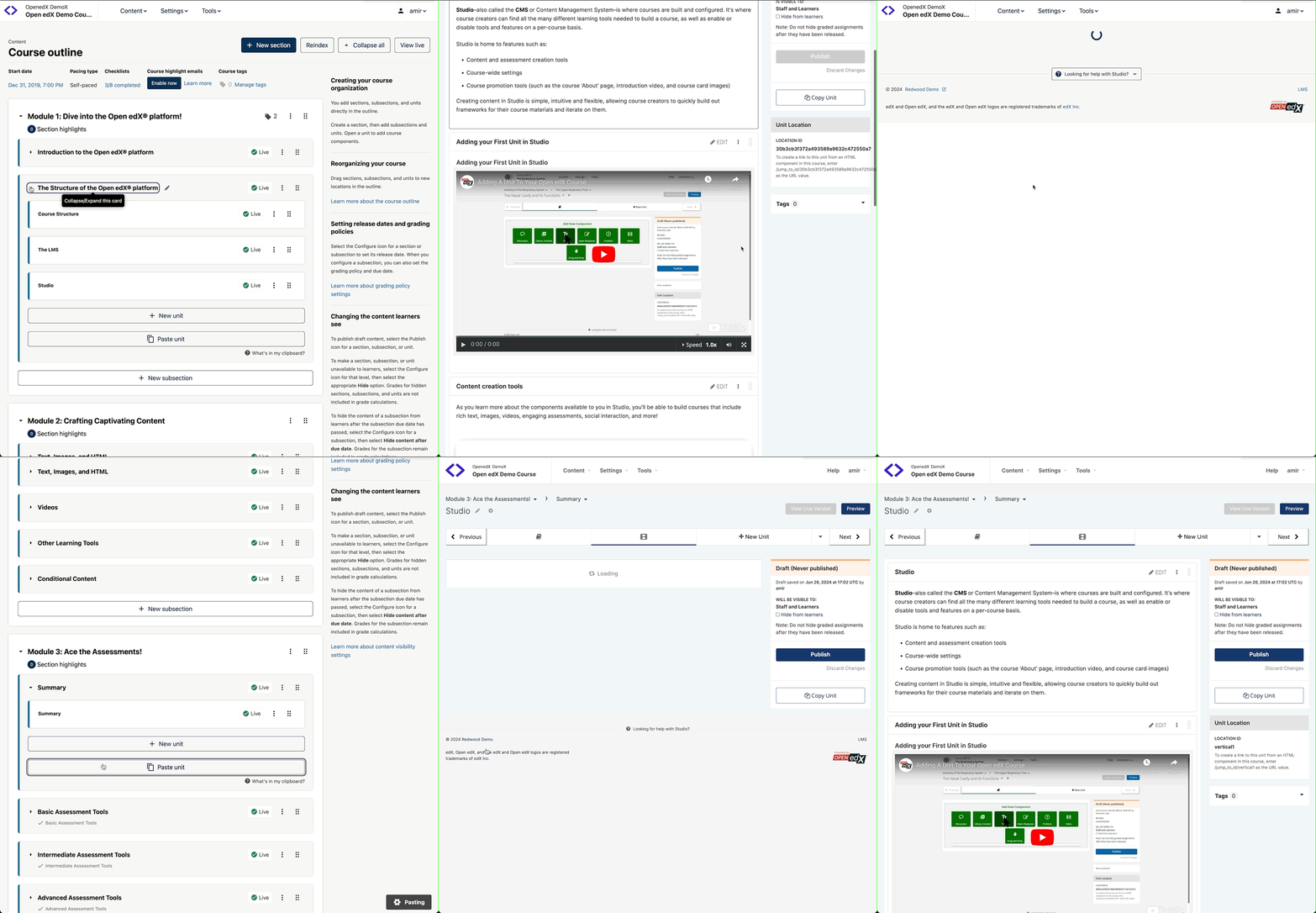
Copying and Pasting Units
The ability to copy and paste units is a powerful new feature that dramatically improves the efficiency of course creation and maintenance. Previously, creating similar units across multiple courses required repetitive manual work, which was time-consuming and increased the potential for errors.
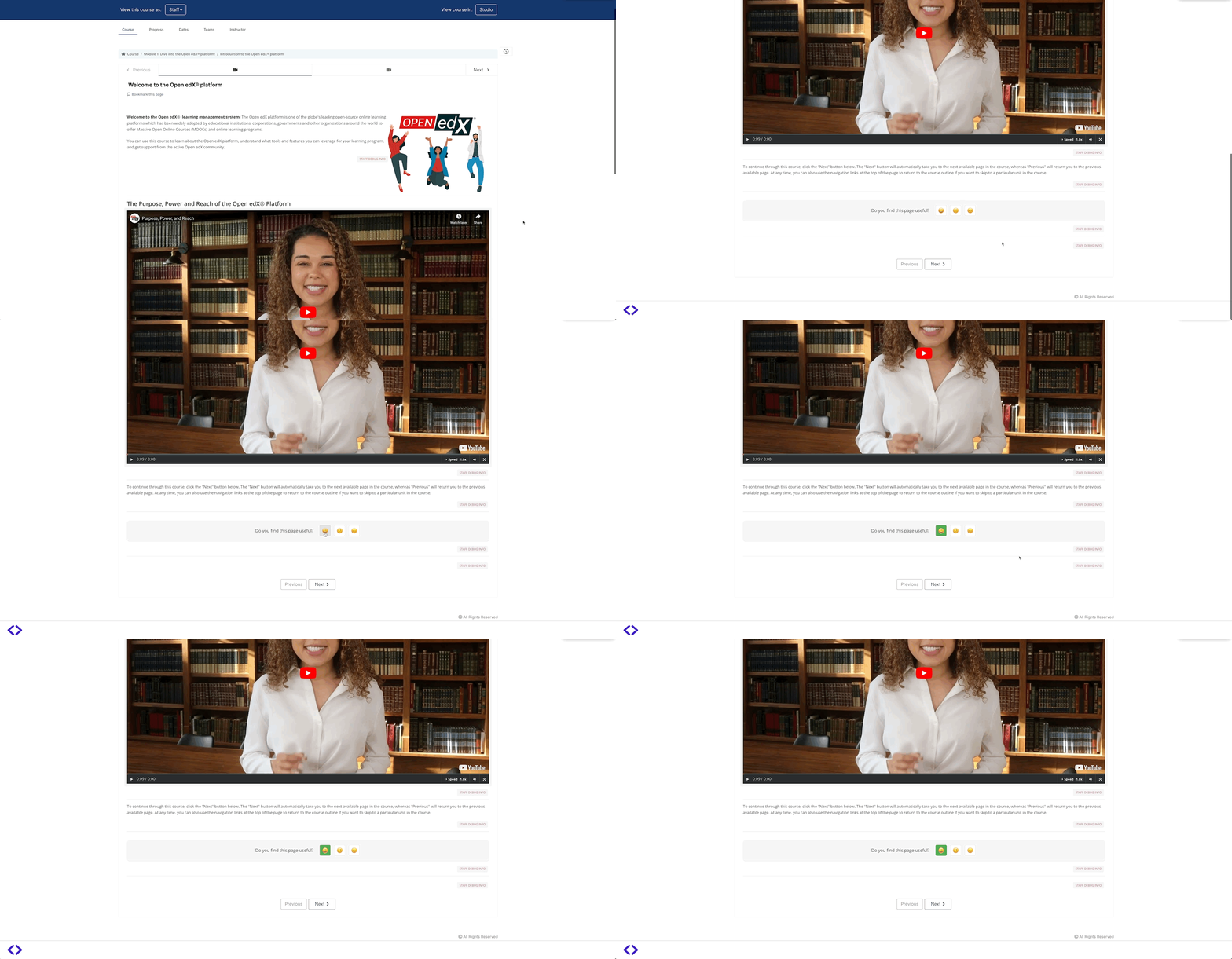
Content Feedback
The new Feedback Component is a significant enhancement to the Open edX platform, providing a direct channel for student engagement and continuous improvement. With this feature, instructors can gather invaluable insights from learners about specific units or pages, helping to identify areas that may need clarification or improvement.
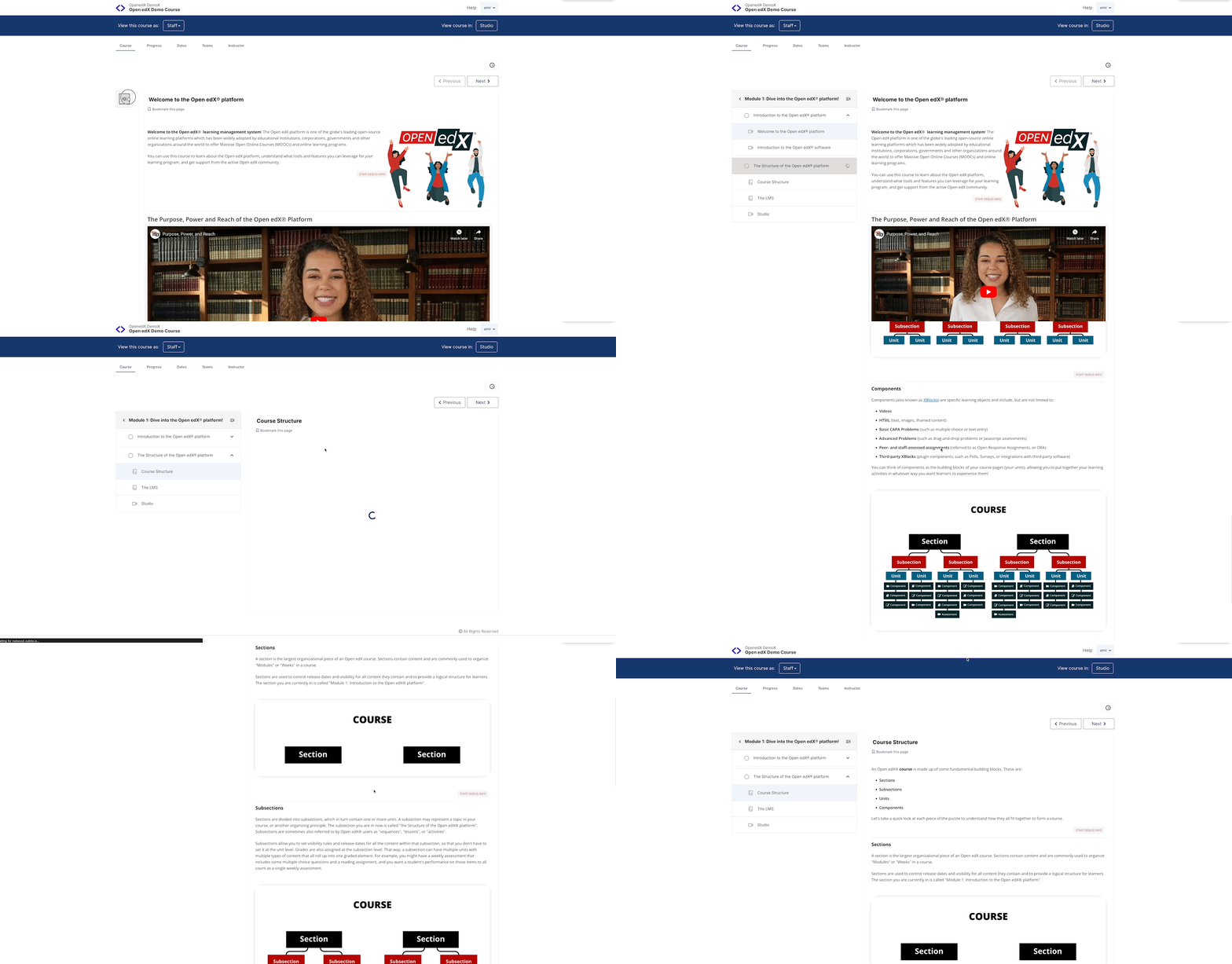
Sidebar Navigation is back
The in-course sidebar navigation has been reintroduced in the Redwood release of Open edX. This feature, which had been available in earlier versions but was later removed, is now back with enhancements to improve the learner experience. The sidebar allows learners to navigate through the course material linearly or non-linearly via a UI element on the side of the page that displays the user’s current course section, subsection, and unit.
Updated Android and iOS Mobile Apps
Open edX last year deprecated the old codebase for their Android and iOS mobile applications, introducing a new repository and architecture for these apps. This transition aims to modernize the mobile app experience, improve performance, and streamline development processes.